People sell Steam accounts for all kinds of reasons – moved on from gaming, need cash, or a library sitting untouched for years. Whatever the reason, there’s a specific process between “I want to sell” and “money in my account.” This guide covers it step by step.
Step 1. Figure Out What Your Account Is Actually Worth
Before setting a price, understand what you’re selling. Buyers look at several factors: game library, profile level, inventory, account age, and rare items or achievements.
Use the Steam account value calculator at game-stat.com for a quick baseline. Enter your nickname, custom URL, or full profile link – the tool handles any format. It pulls your game list and checks the current price of each title directly from the Steam Store. Over 30 currencies are supported, with exchange rates updated daily.
The result shows your total library value, a breakdown of paid vs. free games, and which games have unavailable prices due to regional restrictions or removal from the store.
A practical note: count only games you actually played for more than 10 hours. Everything else is just sale discount purchases that inflate the number without adding real value to a buyer.
The profile must be set to public before running the calculation – otherwise the tool can’t see your games.
If your account includes CS2, Dota 2, or similar competitive titles, the same site game-stat.com has leaderboards and match statistics. A high rank or strong stats is a real selling point worth including in your listing description.
One important reality check: even if the calculator shows $1,000 worth of games, real buyers will typically offer half that. CQ That’s just how this market works – buyers price in risk, not library value.
What specifically raises price:
- High-demand games with many hours logged (CS2, Dota 2, GTA V, Elden Ring)
- CS2 or Dota 2 skins – check median sale price on the Steam Market for the past 30 days
- High profile level (50+ is noticeably more attractive)
- Old account (2010-2015 registration date carries a premium)
- Rare achievements or badges
Step 2. Prepare the Account Before Listing
- Set the profile to public. Buyers need to see games, level, inventory, and playtime before committing.
- Remove the Steam Mobile Authenticator. This is the most critical step. If the authenticator is tied to your phone, the buyer can’t change account credentials independently. The most common dispute scenario is a buyer receiving a login and password but hitting a wall when the recovery email or authenticator still belongs to the seller. Provide step-by-step instructions for the transfer and keep a record of the handover – change the account email and recovery options in a way the buyer can verify.
- Gather everything you’ll hand over: login, password, access to the linked email account, and either the authenticator recovery code or instructions for deauthorizing it.
- Take screenshots. Capture the library, level, inventory, and playtime on key games. These go directly into your listing.
Step 3. Choose Where to Sell
- G2G (g2g.com) – one of the more established global marketplaces, supporting accounts, in-game items, currency, and boosts across a wide range of games through a secure transaction system. Pages Well-known among English-speaking buyers. Has buyer protection built in.
PlayerAuctions (playerauctions.com) – one of the longest-running player-to-player marketplaces for Steam accounts, with an escrow-based system that holds funds until delivery is confirmed. PlayerAuctions Large buyer base, though fees are on the higher side and some community reviews flag inconsistent dispute resolution. - EpicNPC (epicnpc.com) – forum-based platform where listing is free. Sellers post threads and buyers contact them directly. EpicNPC Works like a community hub – listings are user-generated, which sometimes surfaces unique accounts not found elsewhere. Pages Community reputation built through feedback threads. More negotiation-friendly than marketplace-style platforms.
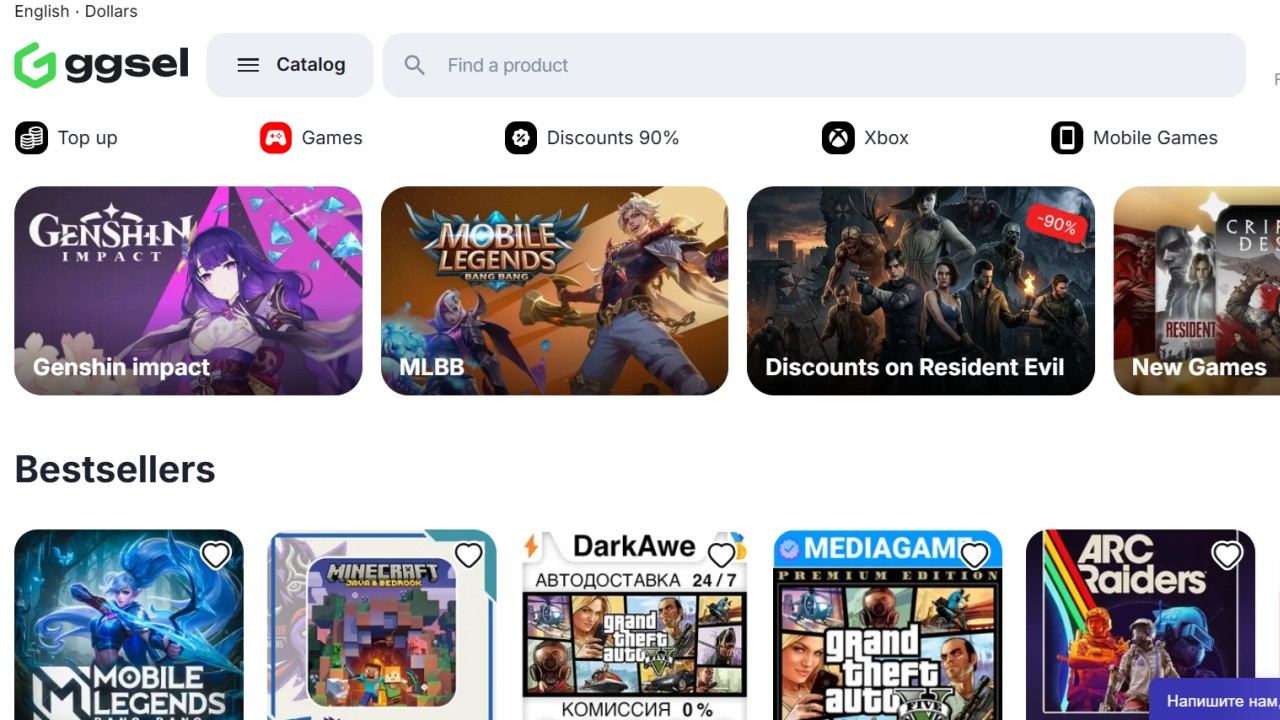
- GGSEL (ggsel.net) – the largest CIS-facing marketplace, but it has an English interface and active international buyer traffic, particularly for accounts with popular titles. No listing fee, no price restrictions. GGSEL Worth considering if your account has games with broad appeal.
Step 4. Write a Listing That Actually Sells
A buyer needs to understand what they’re getting before clicking purchase. Vague listings convert poorly.
Required in any listing:
- Full game list, popular titles first
- Profile level
- Total game count and hours
- Account region
- Exactly what’s included in the handover: login, password, email access, ability to change credentials
- Inventory contents and approximate value
- Account registration date
On full access. This is the single factor that most affects buyer confidence. When a seller provides the ability to change credentials, the buyer can update the password and link the account to their own email – this substantially increases trust in the listing. DTF State explicitly whether full email access is included.
On pricing. Check comparable listings on whatever platform you choose. On GGSEL, Steam accounts start from under $1 for minimal accounts and reach into hundreds for high-level profiles with valuable CS2 inventories. Set your price against actual competition, not against the calculator output.
Step 5. Understand the Fees
Each platform takes a cut. The specifics vary:
- GGSEL: commission is shown when creating the listing by category, identical for all sellers. Funds are held for 7 days after sale before withdrawal.
- G2G: charges a percentage per transaction; exact rate depends on category and seller tier
- PlayerAuctions: takes a percentage plus payment processing; fees are higher than most competitors
- EpicNPC: free to list; if using their Trade Guardian escrow service, a small fee applies
Build the fee into your asking price before you list, not after.
Step 6. Transfer the Account
After payment clears, hand over everything at once:
- Steam login and password
- Email login and password
- Any remaining authenticator recovery codes or deauthorization steps
The most common complaint from buyers is sellers offering to “help” change credentials in their presence rather than simply handing over email access – this looks like a rental, not a sale. Hand over everything in one message. No staged process, no “let’s do it together.”
Step 7. Platform Comparison for a One-Time Sale
| Factor | GGSEL | G2G | PlayerAuctions | EpicNPC |
|---|---|---|---|---|
| Listing fee | None | None | None | None |
| Commission | Yes (on sale) | Yes (on sale) | Yes + processing | None / Trade Guardian fee |
| Fund hold | 7 days | Varies | Escrow-based | Negotiated |
| Buyer base | CIS + international | Global | Global | Global, community |
| Interface | Modern | Modern | Modern | Forum |
| Dispute resolution | Yes | Yes | Yes (inconsistent per reviews) | Community-based |
Common Mistakes
- Leaving the authenticator active. Buyer tries to secure the account, can’t – dispute opened immediately.
- Pricing off the calculator. Real market price is typically half the calculator figure. CQ Price against actual listings, not nominal library value.
Omitting the account region. Regional restrictions affect what buyers can do with the account. State the region – if it’s in the listing, the responsibility is on the buyer. - Slow responses. A buyer asks a question in the evening – by morning they’ve bought from someone else.
- Partial handover. Login and password without email access is not a complete sale. Expect a dispute.
FAQ
Yes, but usually at a significant discount. You should disclose the ban in the listing, because buyers can see the VAC badge on the profile anyway. Trying to hide it is very likely to lead to a dispute.
That depends on the platform. On GGSEL, funds are typically held for 7 days. G2G and PlayerAuctions usually use an escrow system that releases payment after the buyer confirms receipt. On EpicNPC, payment timing depends on the specific arrangement between buyer and seller.
Respond as quickly as possible and provide screenshots of the transfer conversation, along with proof that the account credentials were handed over in full. If your listing accurately described what you delivered, the dispute is likely to be resolved in your favor.
An account with 20-30 mid-tier games and a profile level of 10-20 typically sells for around $5-20. Accounts with a valuable CS2 inventory or rare titles can sell for much more, and in those cases it is better to base the price on the skin market rather than a general game library calculator.